A distributor makes money in the gaps: the price agreed with one customer, the pallet that ships today instead of next week, the stock that sells before it expires. An ERP for distribution exists to close those gaps by putting sales, purchasing, the warehouse and finance on one set of records. This guide walks through the features that earn their place in a wholesale business, and the ones that can wait.
It is written for owners and managing directors, not IT teams. If you can follow an order from quote to cash in your own head, you can judge every feature below.
Why distribution needs a different ERP from manufacturing
Most ERP software grew up in factories. It is very good at bills of materials and production schedules, which a distributor rarely needs.
Your pressure points sit elsewhere:
Many products, thin margins. Thousands of SKUs, each earning a little, so small pricing errors add up fast.
Many customers, each with their own deal. Contract prices, volume breaks, rebates and delivery terms that change by account.
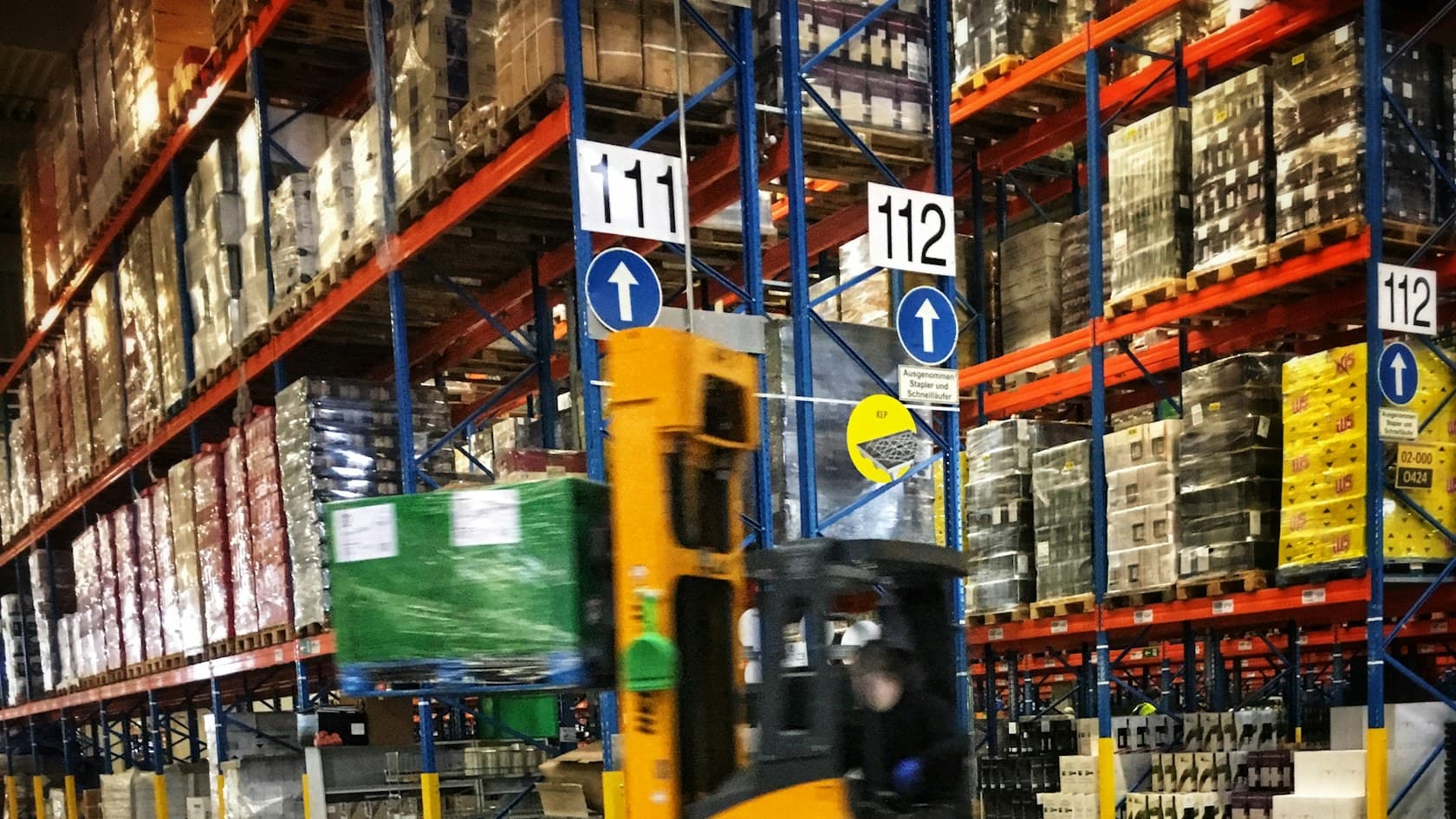
Speed at the dock. Goods come in and go out every day, and the system has to keep up with the forklift, not the other way round.
Traceability. In food, pharma, chemicals and parts, you may need to say exactly which batch went to which customer.
An ERP that treats these as add-ons will leave your team running the real business in spreadsheets beside it.
The ERP for distribution features that matter, following one order
The easiest way to judge a system is to follow a single order through it. Here is the path, and what the software should do at each step.
1. Quoting and customer-specific pricing
Your sales team should see the right price for this customer, on this quantity, on this date, without opening a separate price file. That means contract prices, price breaks, promotions and minimum margins held in one place.
Ask for a warning when a quote falls below the margin you set. It is the cheapest control you will ever add.
2. Stock you can promise
"In stock" tells sales very little. The system should show what is free to sell after existing orders are allocated, across every warehouse, plus what is arriving and when.
When sales can give a real delivery date on the phone, customers stop calling back to chase it.
3. Purchasing that follows real demand
Reorder points and suggested purchase orders should come from what actually sells, by season and by customer, not from a minimum someone set years ago. Supplier lead times, pack sizes and minimum order quantities belong in the same screen.
This is also where demand forecasting from your own sales history pays off later, once the records are clean.
4. Warehouse work with a scanner, not a clipboard
Receiving, putaway, picking, packing and shipping should all happen on a handheld or phone, with every scan updating stock immediately. Standard barcodes help here: a GS1-128 barcode can carry batch or lot numbers, serial numbers and expiry dates, so one scan at receiving records what used to take a line of typing.
Look for pick lists ordered by bin location and a check that the right item is going in the right box.
5. Lot, batch and expiry tracking
If you handle anything perishable or regulated, this moves from useful to required. The system should record which lot went to which customer, sell the earliest expiry first, and produce a recall list in minutes.
Regulators are moving in this direction. The US FDA's Food Traceability Rule, for example, expects covered firms to keep lot codes and key tracking records and to hand the FDA an electronic sortable spreadsheet within 24 hours of a request. That is hard to do from paper delivery notes.
6. Returns and credits
Returns are where margin leaks quietly. A good ERP links each return to the original invoice, records why it came back, decides whether the item goes back on the shelf, and raises the credit note in the same flow.
7. Landed cost and true margin
Freight, duty, handling and supplier rebates change what a product really cost you. If the ERP spreads those costs onto each item, you can see margin by product, customer and salesperson, and you will find some accounts that look busy but earn very little.
8. Invoicing, collections and rebates
The order should turn into an invoice the moment it ships, with no retyping. Customer credit limits, overdue balances and rebate accruals should be visible to sales before they take the next order.
Must-have or can wait: a quick way to decide
Not every distributor needs every feature on day one. Use this table to sort your own list.
Feature | Must have now if... | Can wait if... |
|---|---|---|
Customer-specific pricing | You have contract or tiered prices for more than a handful of accounts | Almost everyone pays list price |
Multi-warehouse stock | You hold stock in more than one site or van | You run a single warehouse |
Barcode scanning | Picking errors or slow receiving cost you customers | Volumes are low and errors are rare |
Lot and expiry tracking | You sell food, pharma, chemicals or regulated parts | Your goods do not expire and are never recalled |
Landed cost | You import or pay significant freight and duty | You buy locally with delivery included |
Rebate management | Supplier or customer rebates are a real part of your margin | Rebates are rare and small |
Customer portal | Customers often call to check stock, prices or order status | A few large customers order by email |
The numbers you should see every morning
Features matter because of the numbers they make visible. A well-built ERP for wholesale should put these on one screen for you:
Inventory-to-sales ratio. The same measure the US Census Bureau tracks across the whole sector in its Monthly Wholesale Trade survey. Watching your own ratio tells you if stock is growing faster than sales.
Fill rate. The share of order lines shipped complete and on time.
Aged and slow-moving stock. Cash sitting on shelves, sorted by how long it has sat there.
Margin by customer and product. After freight, rebates and returns.
Overdue receivables. Who owes what, and who is still ordering.
If getting any of these today means someone spends a morning in spreadsheets, that is the clearest sign your current setup is costing you.
Packaged or custom ERP for distribution?
Packaged systems suit distributors whose processes look like everyone else's. They come with a large feature list, and you adapt your way of working to fit.
Custom makes more sense when the way you sell is part of why customers choose you: unusual pricing deals, a particular way of serving key accounts, or warehouse steps a template handles badly. It also suits firms that want to start with one module next to their existing accounting software and add the rest later. Our custom ERP development works that way, starting with the module that saves the most time.
Whichever route you take, test it the same way: give the vendor three of your real, awkward orders and watch the system handle them end to end.
See it in practice: Sales CRM for Scientific Instrument Distributors
See it in practice: Retail ERP for Consignment, Billing and Loyalty
Related reading: Custom ERP vs off-the-shelf ERP: how to decide
Talk it through
If you are weighing an ERP for your distribution business and want a second opinion on what to build first, book a 30-minute call with a founder. Or start smaller: our free 5-day audit of one department maps how an order really moves through your business today.