Your spreadsheets have run out of road. Sales quotes from one file, stores counts from another, and production finds out what was promised when the order lands on the floor. You know you need an ERP, and the shortlist has split into two camps: a packaged product, or a system built around how your plant works.
The choice in custom ERP vs off-the-shelf ERP comes down to one question: how much of your process is standard, and how much of it is the reason customers buy from you? This guide is for the COO or managing director of a mid-size manufacturer or distributor who has to sign off on that decision and live with it for years.
Custom ERP vs off-the-shelf ERP: what you are choosing between
An off-the-shelf ERP is a packaged product you license, configure and adopt. The vendor owns the code, decides the roadmap and ships the updates. You shape your settings, and to a degree your process, to fit it.
A custom ERP is software built for your company and owned by you. It follows your steps, your documents and your terms, and it changes when you decide it should. The trade is that you fund the build and the upkeep, and you need a partner you trust to do both.
When off-the-shelf ERP fits
Packaged ERP has a strong case when most of your operations look like everyone else's. ERP suites built for small and mid-size companies, most of them offered in the cloud, such as Odoo, SAP Business One, Microsoft Dynamics 365 Business Central and Oracle NetSuite, cover the common ground well: general ledger, purchasing, stock, sales orders and standard manufacturing.
A packaged product is usually the better choice when:
Your processes follow common practice. Make-to-stock production, standard purchasing and ordinary invoicing are what these products are designed around.
Finance and compliance come first. Accounting, tax and reporting rules are maintained by the vendor, so your team is not tracking every rule change.
You want the vendor to carry upgrades. Panorama Consulting Group's 2026 ERP Report found a strong preference for SaaS deployment and notes that SaaS ERP shifts maintenance and upgrades to the vendor.
You can adapt your process. If your team is willing to adopt the product's way of working, you avoid most customization cost.
The same report adds a caution: SaaS updates arrive often, so someone in your company has to own security roles, reports and change requests after go-live.
When a custom ERP fits
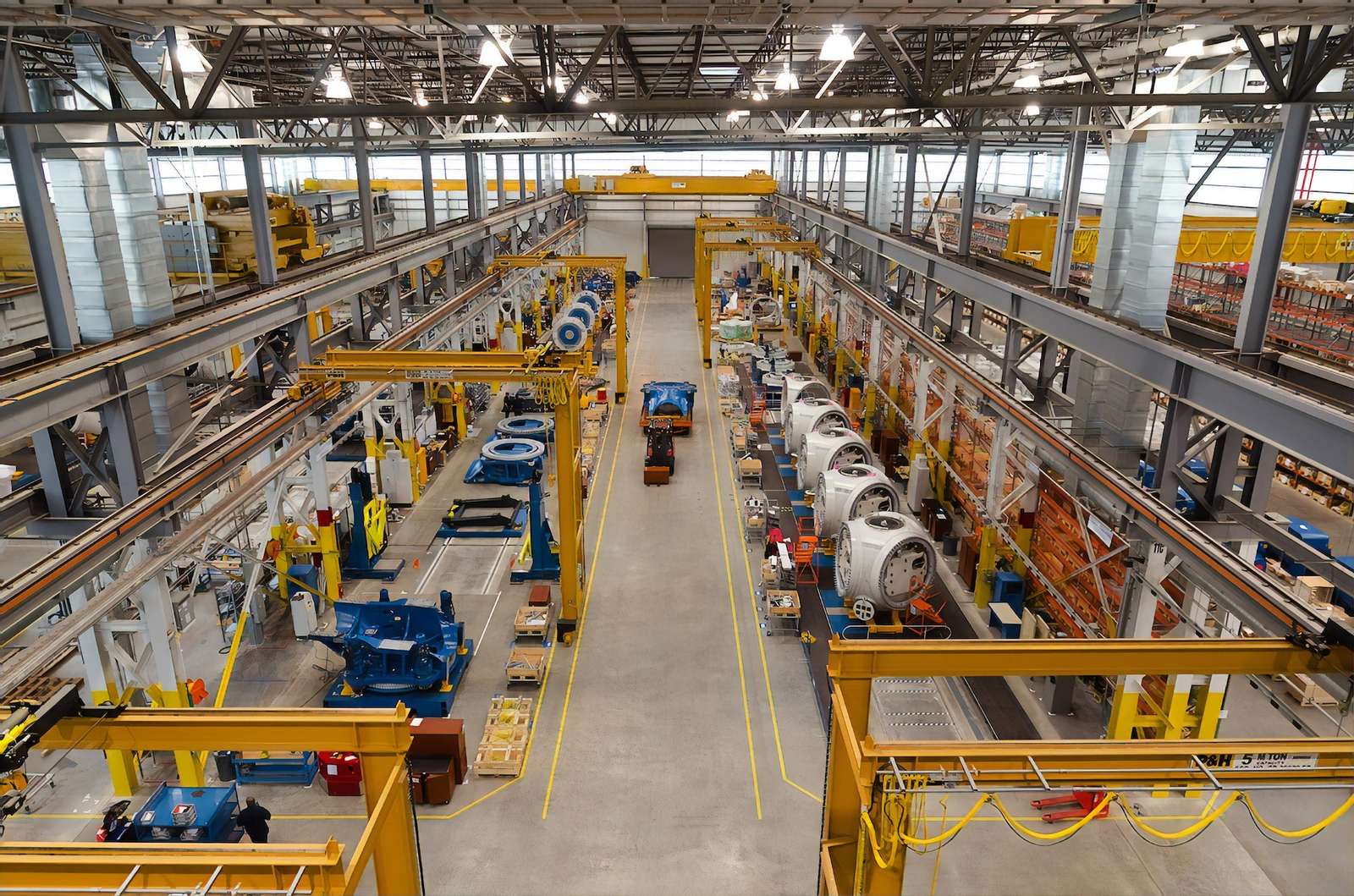
Custom wins when the steps that set you apart are the steps a template handles worst. For manufacturers, those are usually engineer-to-order work, unusual quality rules and order formats that do not fit a standard sales line.
Two patterns from our own projects show the difference:
Quotation to bill of materials. For an industrial manufacturer that builds to customer orders, we built a web ERP that runs from quotation to bill of materials. Quotations, bills of materials and stock all draw from one item master, each confirmed order gets its own bill of materials with allocated stock, and every product's quality check ends in a test certificate.
Batch production with QC on every receipt. For a colorant manufacturer, we built an ERP for sample leads, raw material QC and batch production. Raw material reaches production only after a QC check, and managers see output and electricity use by machine and batch. Its sister company takes film orders in micron, width and core, a format a standard sales order would struggle to hold.
In both cases, the business wanted software that follows its own process. That is the clearest signal that custom is worth pricing.
The hybrid route: a packaged core with custom modules
Many mid-size companies do best with both. They run finance, payroll and statutory reporting on a packaged product and build custom modules for the work that is unique to them, joined by integrations.
A typical split for a manufacturer or distributor looks like this:
Packaged core: accounts, tax, payroll and fixed assets.
Custom modules: quotation and costing, bills of materials, batch records and QC, or customer-specific pricing.
Integrations: orders, invoices and stock movements flow between the two through APIs, so nobody types a number twice.
The hybrid route only works if the integration is designed as a product in its own right, with clear rules for which system owns each record. Plan it at the start, before the first mismatch between stock and the ledger.
Total cost of ownership: what to count
The year-one quote rarely decides the real cost. Compare options over five years, with these lines on each side.
Licenses per user. Packaged ERP is usually priced per user, per month. As an example, Microsoft lists Business Central at $80 per user per month for Essentials, $110 for Premium, which adds manufacturing, and $8 for Team Members with limited access, all paid yearly.
Multiply by your headcount and by five years, and the license line often outgrows the setup fee. A custom system has no per-user license, but it has hosting and support costs instead.
Customization and extra tools. Panorama's 2026 report found that more than a quarter of projects ran over budget, and the most common reason was an unexpected need for additional technology. It traces this to misfits found late in the project, which push companies into extra tools, wider scope and custom builds. Mapping your process before you choose is the cheapest protection.
Upgrades. On a packaged product, every customization has to survive each vendor release, and someone has to test it. On a custom system, upgrades are yours to schedule and fund, including framework and security updates.
Internal time. Staff hours for workshops, data cleanup, testing and training apply to both options.
A decision checklist for custom or packaged ERP
Work through each line with your operations, finance and sales leads.
Question | Leans packaged | Leans custom |
|---|---|---|
How standard is your order-to-cash process? | Close to common practice | Engineer-to-order, samples, unusual units |
Where does your edge come from? | Price, range, service | The process itself: costing, QC, configuration |
How many users need full access? | Few, with light users on cheaper licenses | Many, where per-user fees add up |
How often does your process change? | Rarely | Often, as products or customers change |
Who will maintain the system? | The vendor and a partner | An internal team or a long-term development partner |
What must connect to it? | Few systems, with ready connectors | Machines, portals or legacy tools with no connector |
If the answers are mixed, price the hybrid route alongside both. Our guide to custom software vs off the shelf has a wider scorecard, and our list of ERP implementation mistakes covers what goes wrong once you have chosen.
Make the call with your own process on the table
The right answer to custom ERP vs off-the-shelf ERP depends on where your process is standard and where it is your edge. Buy for the standard parts, build for the parts that win orders, and compare five-year costs, not first-year quotes. See how we approach ERP development and our work with manufacturers, or book a call to map one order through your plant with us before you choose.